ROI calculator
The return on investment (ROI) calculator is a helpful tool to gain better insight into the actual (expected) return and the linked future cash flow of a rentable investment property.
At the moment, the ROI calculator is only focused on Austria. Other countries will be added in the future.
The calculation does not take into account any tax aspects that apply to the return, as this often partly depends on the user. Therefore, Intrea advises you to obtain advice from an Austrian tax advisor before signing a purchase or investment agreement so that you have a complete picture of your personal situation. It is also important to know in advance in which capacity you can best invest: privately or as a company.
To make it easier to fill in the ROI calculator, several items are marked with a '?'. By placing the mouse on it, a further explanation will appear on the relevant line.
The ROI calculator consists of four parts that are displayed as tabs on the screen at the top:
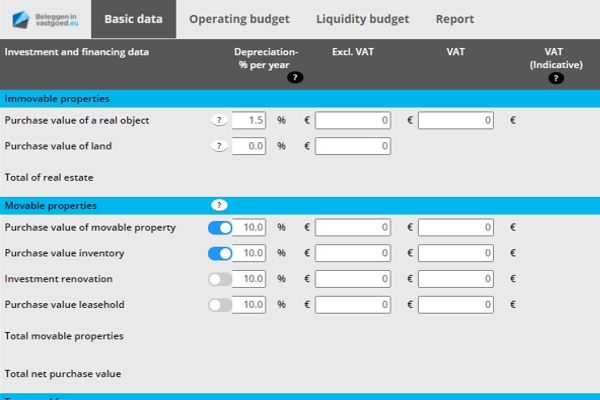 Basic data
The basic data page is divided into 'Real estate', 'Movable property', 'Taxes and costs' and 'Financing costs'.
In each section, you can enter the information stated in the proposal you received from your real estate broker. The usual percentages (of, for example, depreciation) have already been entered automatically but can be adjusted if desired.
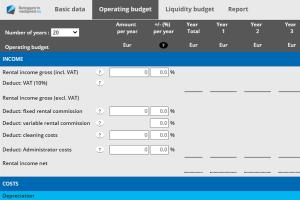 Operating budget
The operating budget provides an overview of all income and expenses related to the rental. Several costs will be automatically calculated based on the basic data. The empty fields can be used to enter the expected costs per year, with the option of applying a percentage indexation per year. If the result for a particular year is negative, it will be visible at the bottom of the screen as a red field.
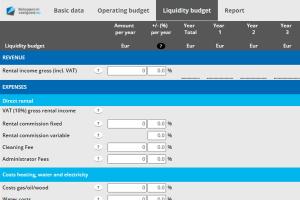 Liquidity budget
The liquidity budget provides an overview of all rental-related income and expenses. It is also possible to adjust all income and expenses in this overview. The operating budget and the liquidity budget are linked so that changes in one overview immediately lead to changes in the other overview. If expenses in a particular year are greater than the income, this will be visible at the bottom of the screen as a red field.
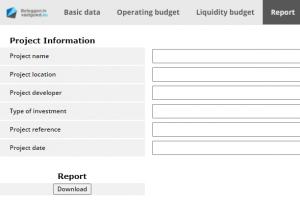 Report
The report offers the possibility to download all data in a clear report. It is possible to include project information in the report, for example, for official use or to create different versions.
Registration
You have to register before you can use the ROI calculator. It is free, simple and done in no time. For security reasons, Intrea uses two-factor authentication. This makes logging in much safer and reduces the chance of hackers gaining access to your accounts or data. After registering, you can manage your own profile.
Click on the link below to start the ROI calculator.
ROI calculator